Document tools
Turn pages into editable documents.
Turn a scanned report into a Word document, bring a photographed table into Excel or give a chart its data back. Find the workflow for your source and explore an editable sample.
A photograph captures the appearance of a page. Your next task may need paragraphs, cells, formulas or a chart you can change. Documni brings those parts into the workspace suited to the document, while keeping the original beside your work. Each guide explains the structure to preserve, the details to check and the format to export.
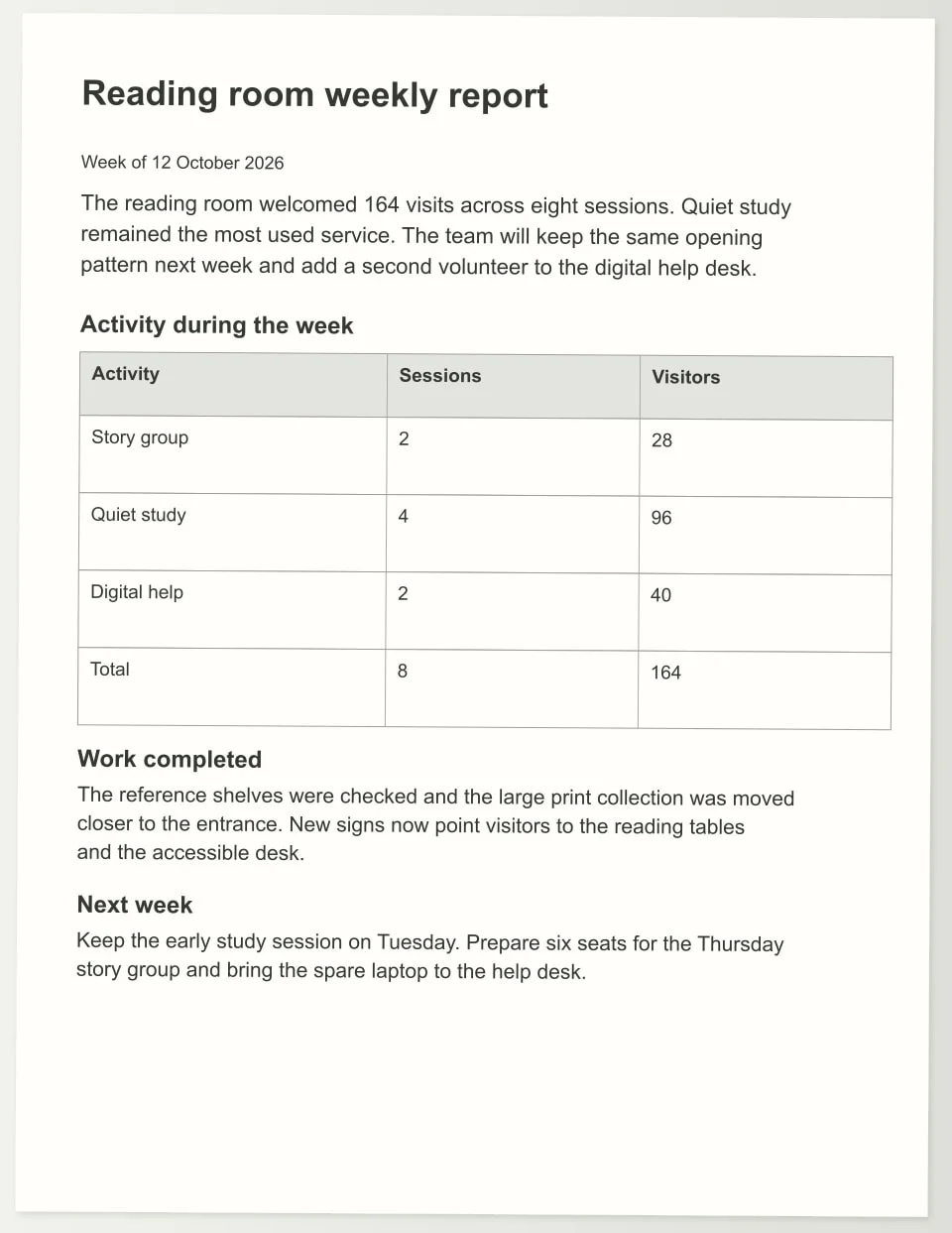
Scanned PDF to Word
Turn a scanned report, letter or set of notes into a Word document you can revise. Documni reconstructs the text and page structure, so the next change starts with paragraphs, headings and tables you can work with.
Explore the sample →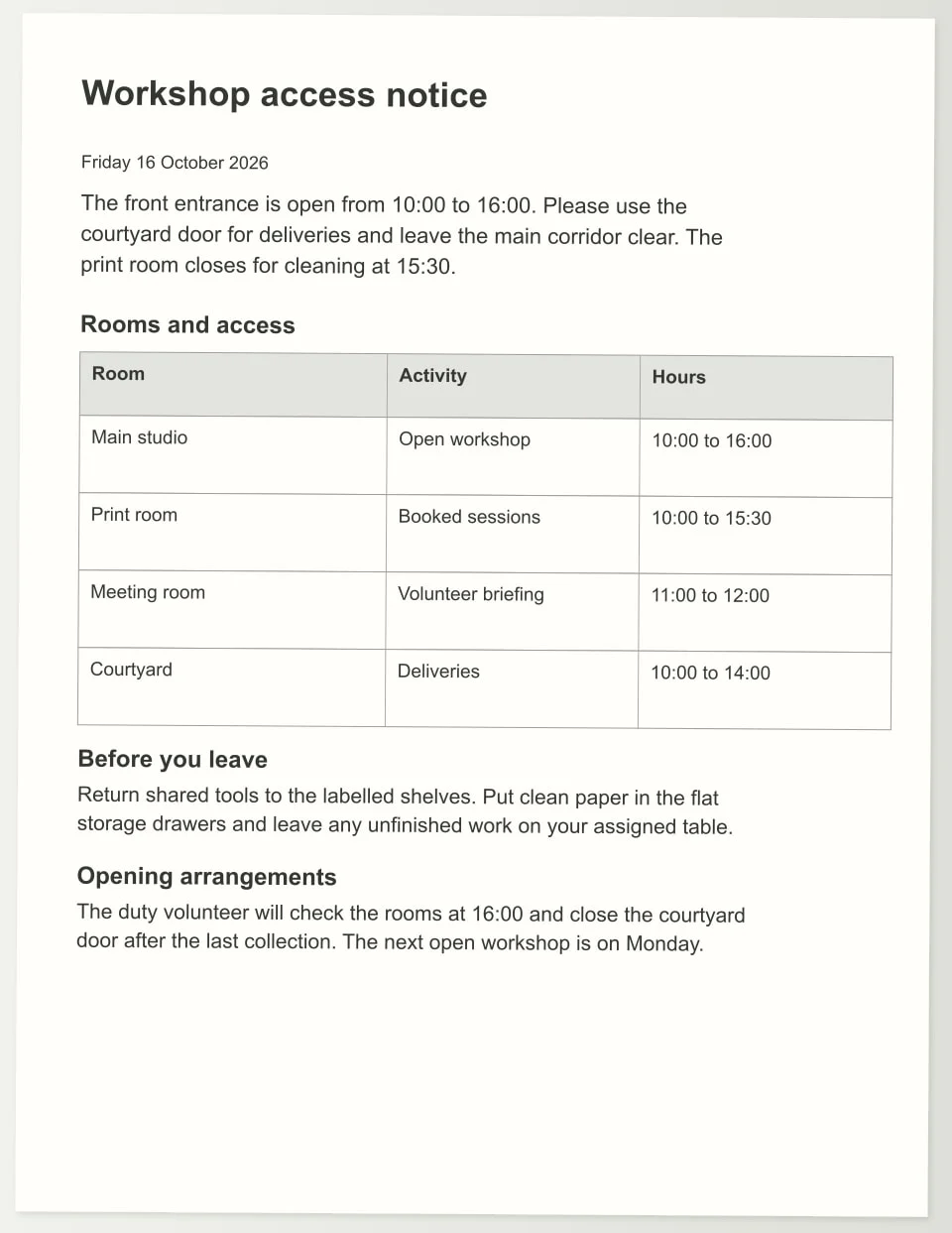
Edit a scanned PDF
Correct a date, replace a paragraph or update a table in the scanned document you already have. Documni turns the page into editable content so you can make the change and prepare a clear PDF to share.
Explore the sample →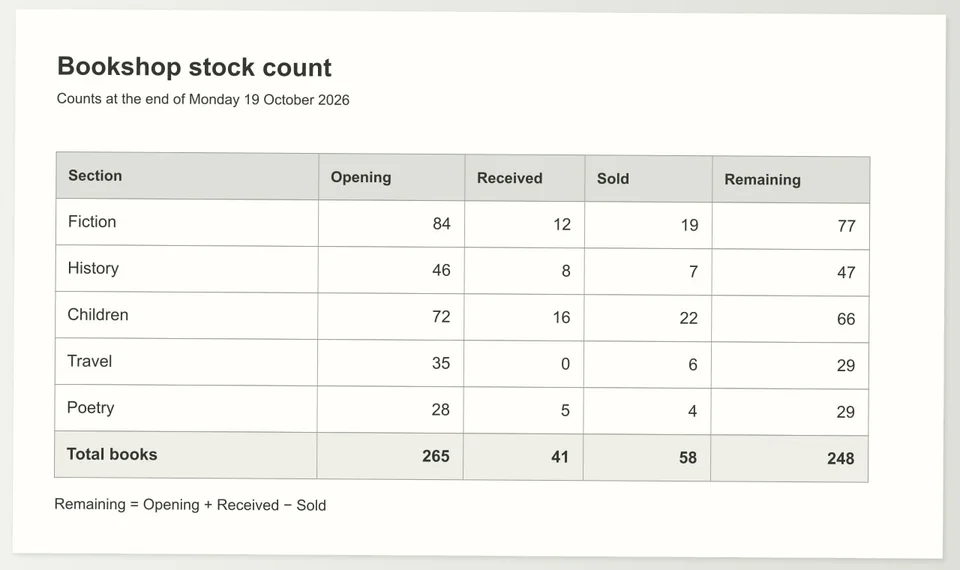
Image to Excel
Bring the table in a photo, screenshot or scanned page back into a spreadsheet. Documni reconstructs its rows, columns and values so you can work with the figures, update the table and export an editable Excel workbook.
Explore the sample →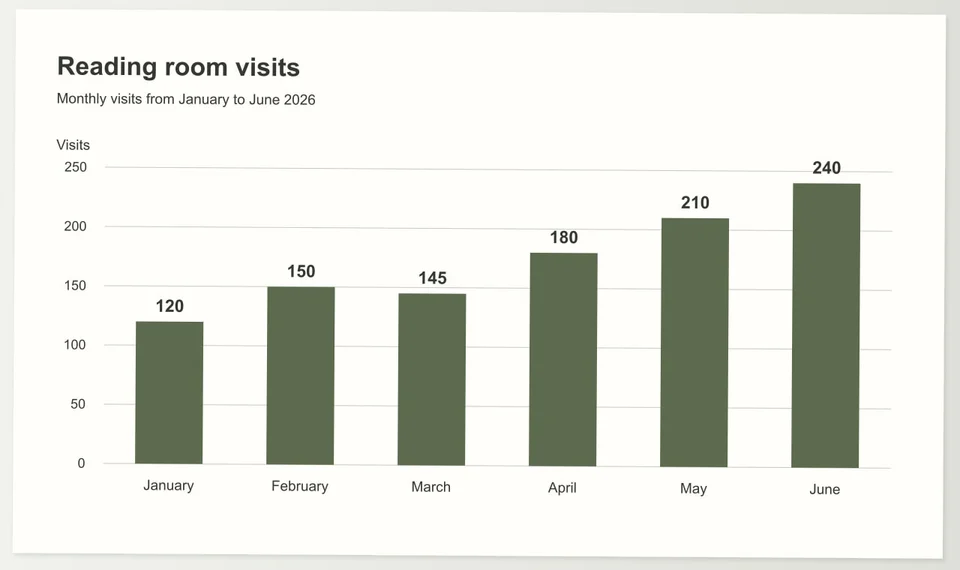
Chart image to Excel
Reuse the information in a chart picture as editable data and a chart connected to those values. Documni reconstructs the chart structure so you can revise labels, update a series and carry the result into a spreadsheet or presentation.
Explore the sample →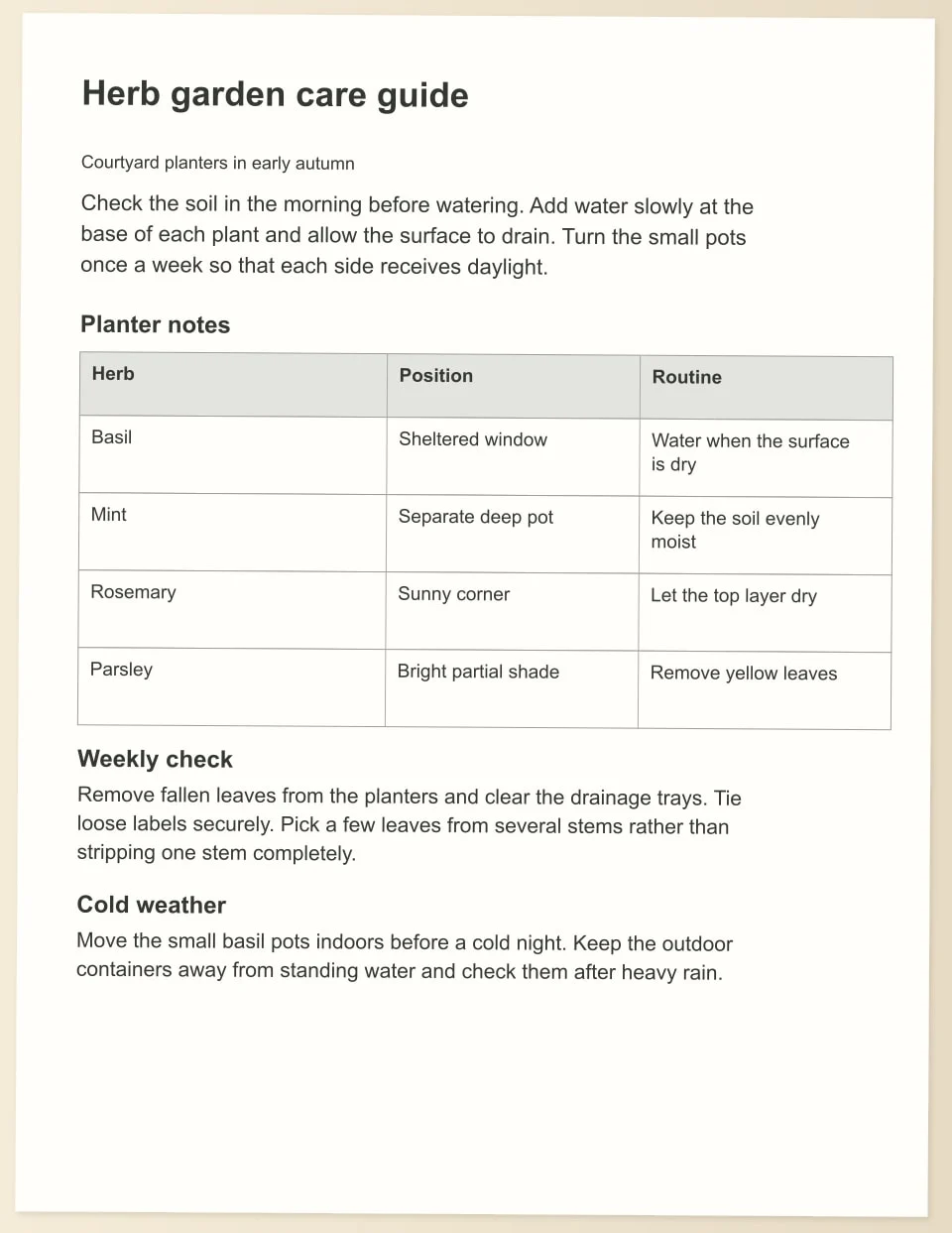
JPG or photo to Word
Take the words on a photographed page into a document you can revise. Documni reconstructs the page content and layout, giving you a useful Word copy of a care card, letter, handout or other paper document.
Explore the sample →Writing, PDF, Spreadsheet, Slides, Design and Screenwriting share one document workspace. Keep your .dcmi working file, export the format you need, sync between Mac, Windows, web, iPhone and Android, and collaborate beside the page.