

Inside Documni
One app for the work in your documents.
A report, a budget, a poster and a script each need their own tools. Documni brings them together, so changing the kind of document doesn’t mean changing apps.
Letters, reports & books
Write a letter or a whole book.
Draft a short letter or a long manuscript, with paragraph styles and an outline beside your writing.
- Draft letters, reports and longer documents.
- Use paragraph styles for clear, consistent pages.
- Keep an outline beside your writing.
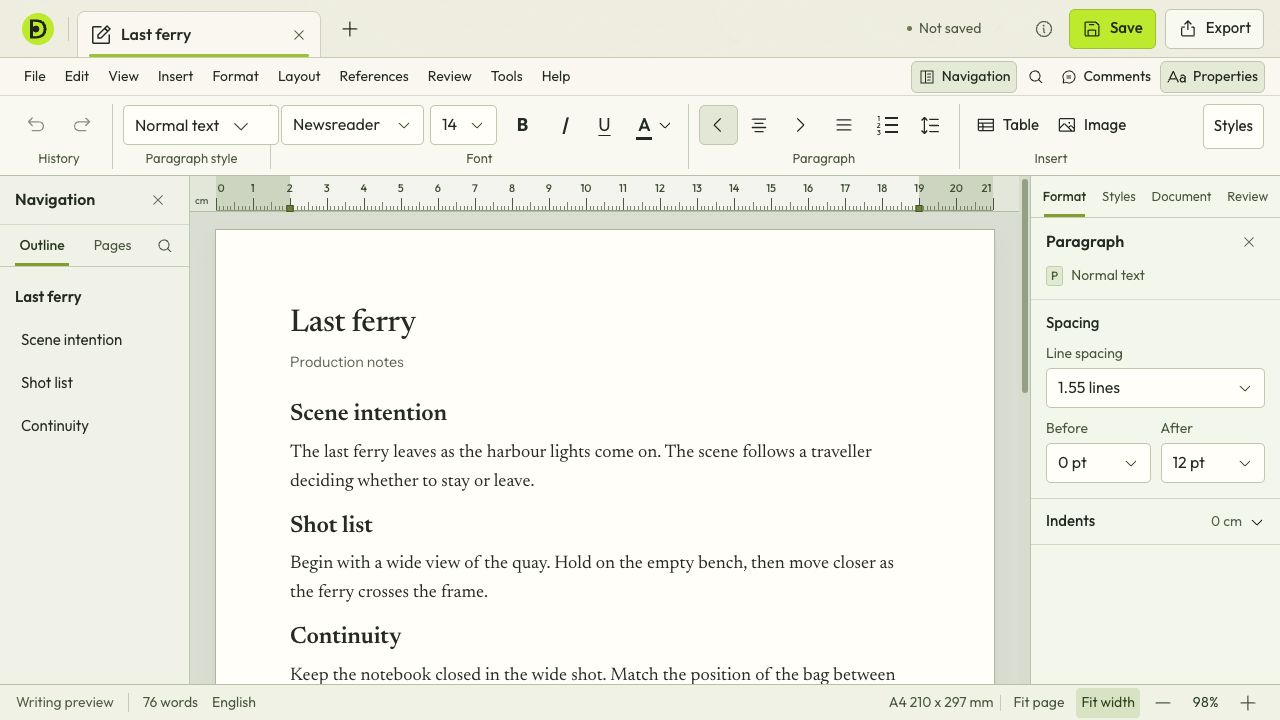
The outline helps you move through a longer document. Paragraph styles, spacing and layout controls keep the formatting consistent as you write.
Read, edit & organise
Edit the PDF you already have.
A PDF shouldn’t mean starting again. Work with the page in front of you, from a sentence that needs fixing to pages that need putting in order.
- Change text and images in the document you have.
- Add content and organise the pages.
- Read, annotate, fill forms and prepare a PDF to share.
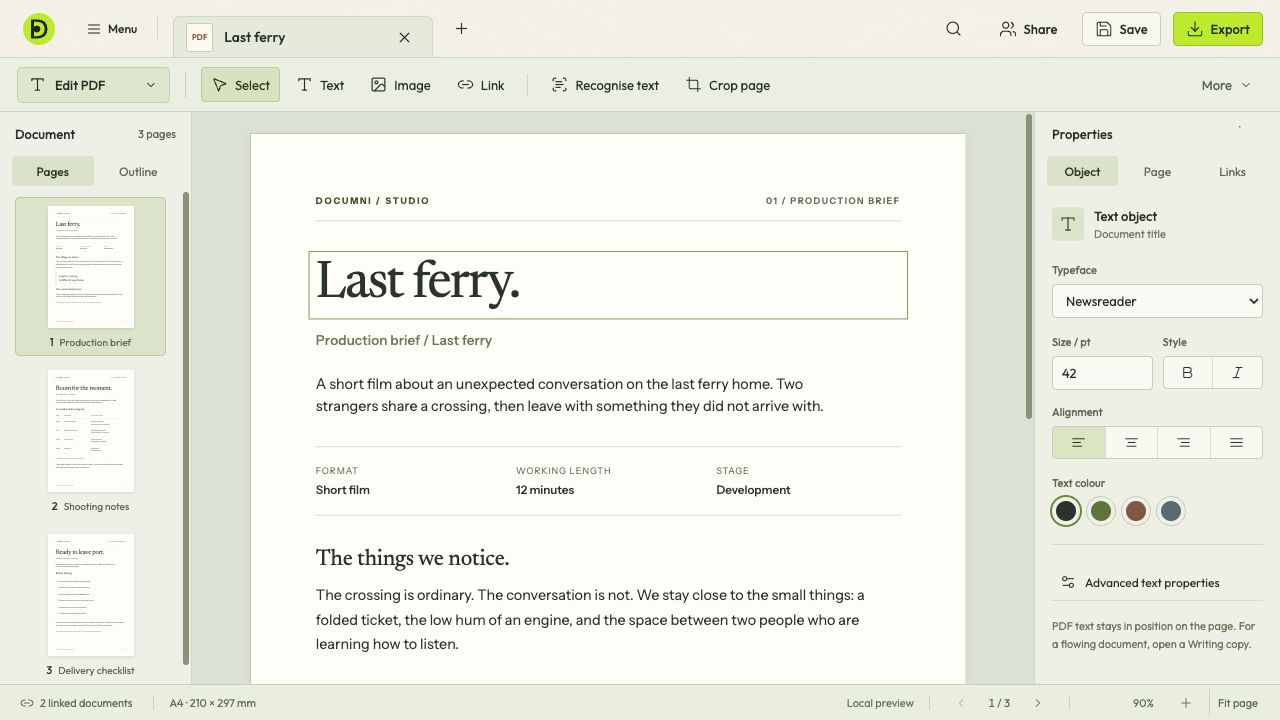
Select text on the page to change its words, typeface, size or alignment. The Properties panel keeps those controls beside the document.
Layouts & slides
Design pages and presentations.
Give a poster, a page layout or a presentation its own shape. Type, pictures and objects each have a place in Design.
- Arrange text, images and shapes as separate objects.
- Use layers and precise placement for page layouts.
- Build presentations in the same Design workspace.
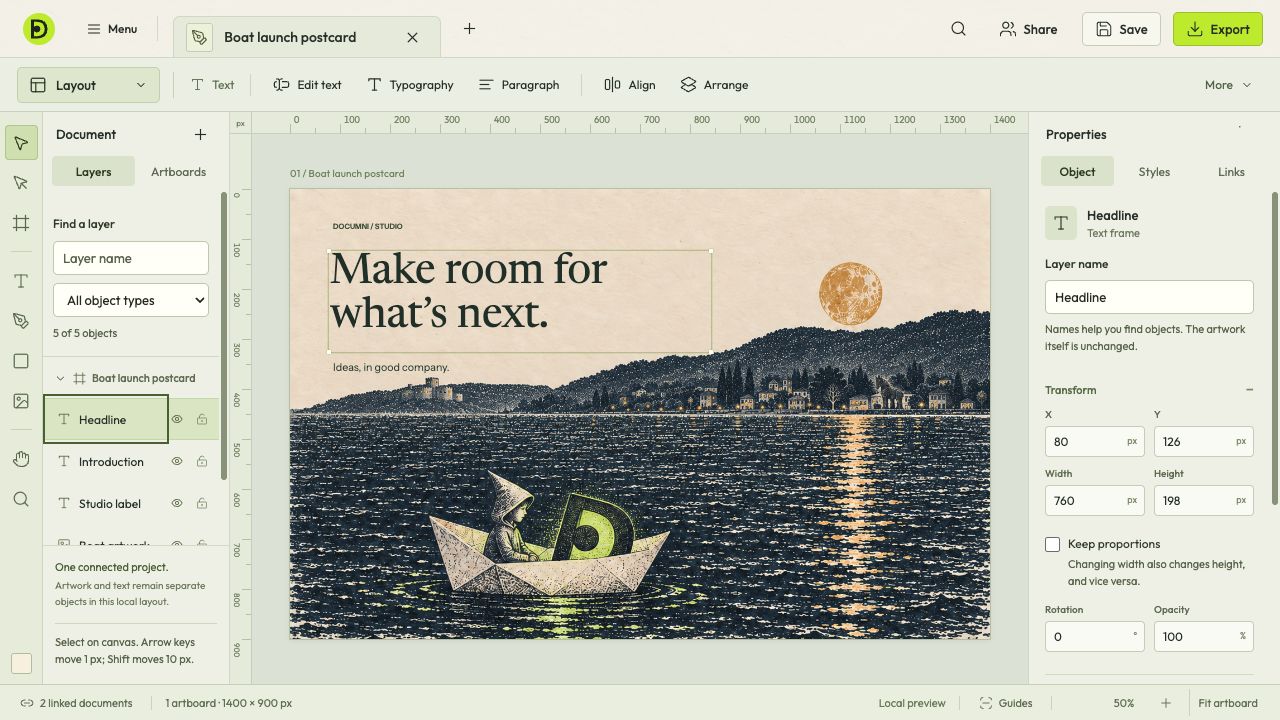
A text frame stays separate from the picture behind it. Select either in Layers, then use Properties to adjust its position, size or appearance.
Figures & formulas
Work with figures and formulas.
Plan a budget, compare costs or keep records. Use formulas to calculate totals as you update the figures.
- Work with tables, figures and formulas.
- Update a value and follow the calculation.
- Keep budgets and other documents in one app.
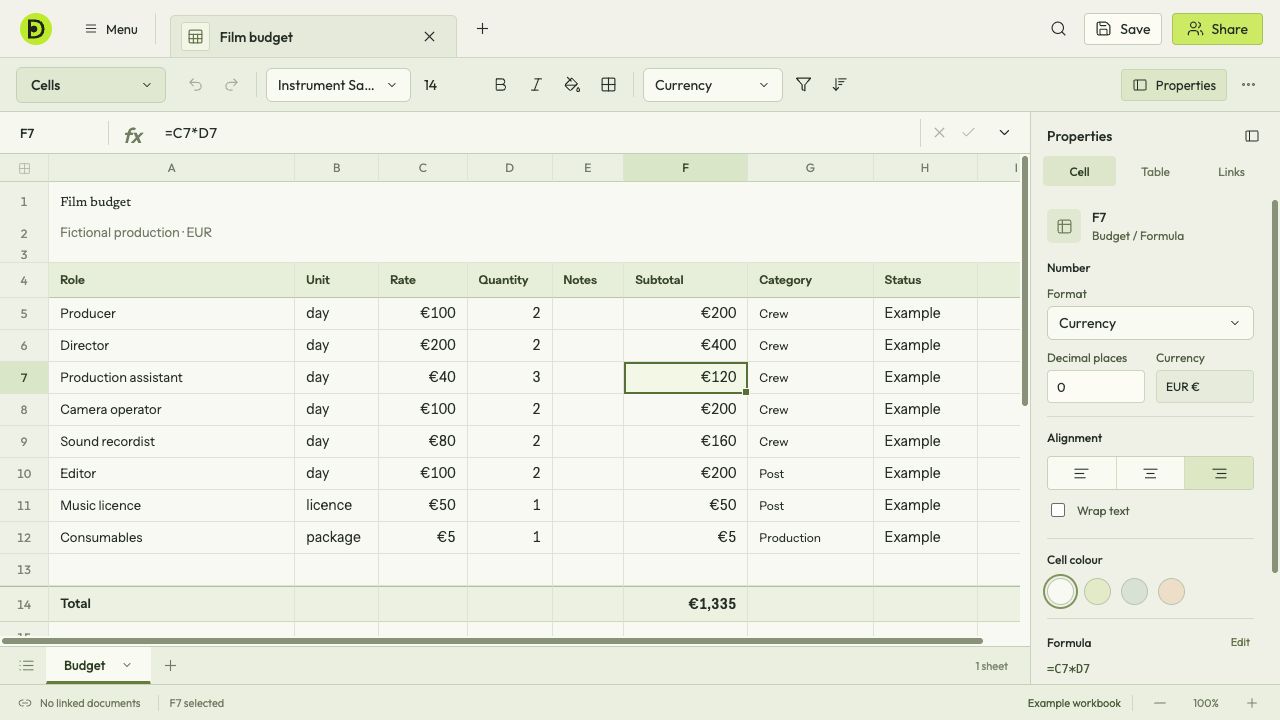
Select a calculated cell to see its formula above the grid. Here a budget multiplies days by a daily rate and adds up the costs.
Scenes & dialogue
Write and organise your screenplay.
Write the dialogue, then step back to see how the scenes fit together. The script and its structure share one workspace.
- Write with screenplay formatting.
- Keep scenes, characters and synopses beside the script.
- Review the story as a set of scene cards.
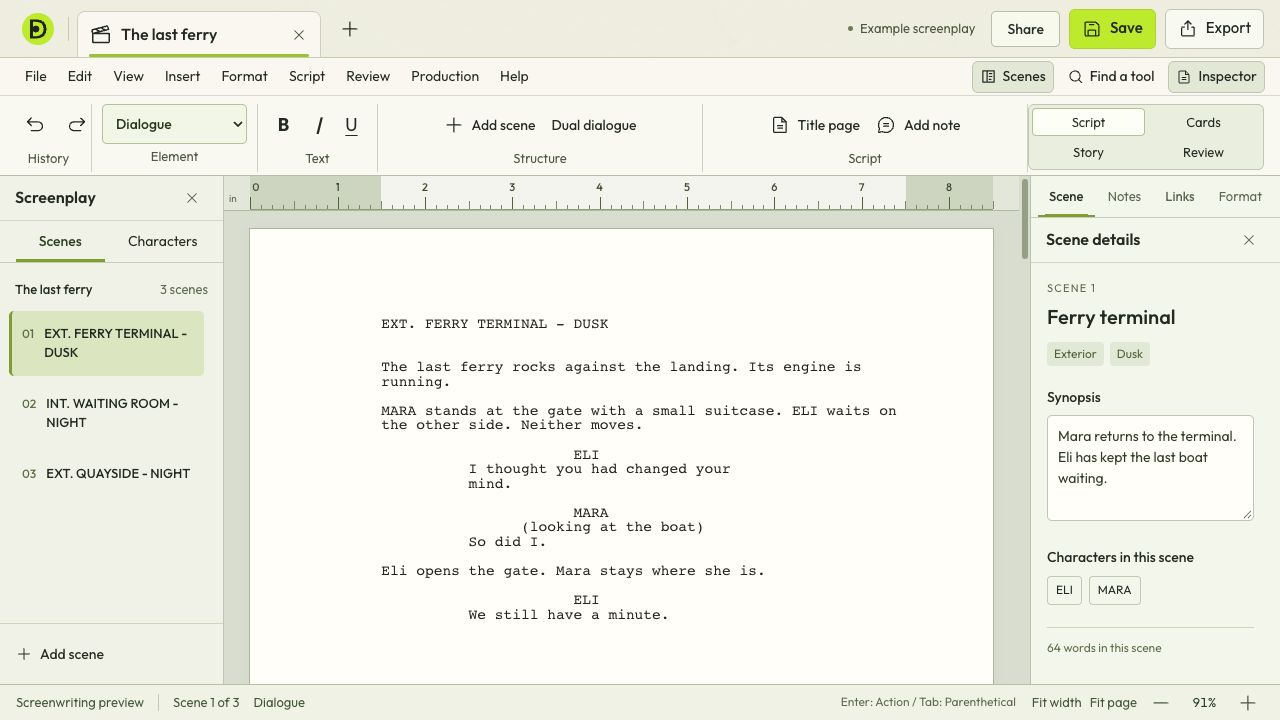
Move between scenes on the left while the script stays in the middle. A synopsis and character list give each scene its context.
From paper to an editable document
All you have is a scan? Start there.
Rebuild text, logos, images, layout and table cells from a scan. Edit the parts of the document without recreating it by hand.